
Smart TV Knock-Knock
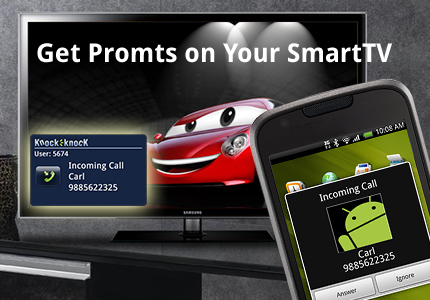
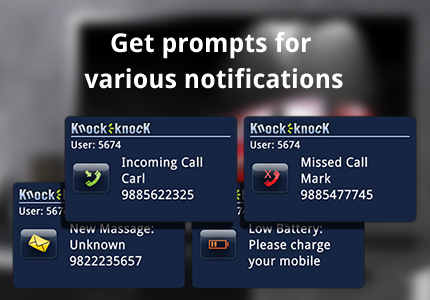
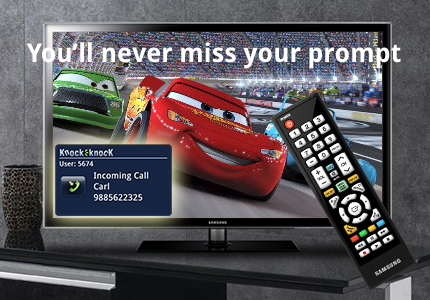
"Knock-Knock" application is a utility application for Samsung Smart TV users. This application provides important mobile notifications on Smart TV. This application enables end user to get following mobile notifications on Smart TV:
- Incoming call notification
- Missed call notification
- New Message notification
- Low battery Notification User needs to install “Knock-Knock” on Smart TV and its co version on mobile device. At present, the required OS for mobile is Android. Once the User installs “Knock-Knock” on both the sides, he/she will be able to get the notifications, when the mobile user is in proximity of the Smart TV and user invokes the application on Smart TV. However, this application runs in background on the Android device without hampering other phone activities or applications. Try “Knock-knock” to be prompted for your mobile notifications, while watching your Smart TV in your leisure time.
3 comments
D SAIPRABHU RAO • over 14 years ago
I would like to add more -
Knock-knock is an auto invoke ticker application. If the User selects "Ticker application auto start" in Service Manager of the Smart TV, Knock-knock will automatically invoked every time when user starts his/her Smart TV.
By doing so, every time, Smart TV will be ready to show User's mobile notifications.
Enjoy it!
D SAIPRABHU RAO • over 14 years ago
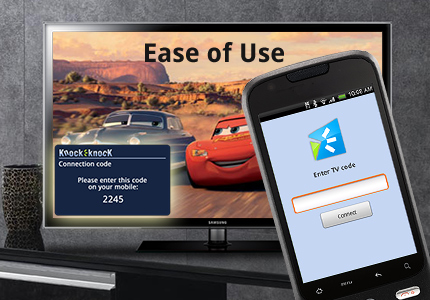
In case, you’re Smart TV couldn't connect to Smart Phone or vice-versa, simply re-boot the application on any end. This will re-generate the 4 digit code for connection.
It's simpe!
Impetus Technologies Inc • over 14 years ago
Please see the updated version of this video at:
http://www.youtube.com/watch?v=dJYv16SbP1E
The earlier version have some typo/errors.
Thanks